3D-Printed MTG Accessories That Actually Improve a Commander Setup
TLDR
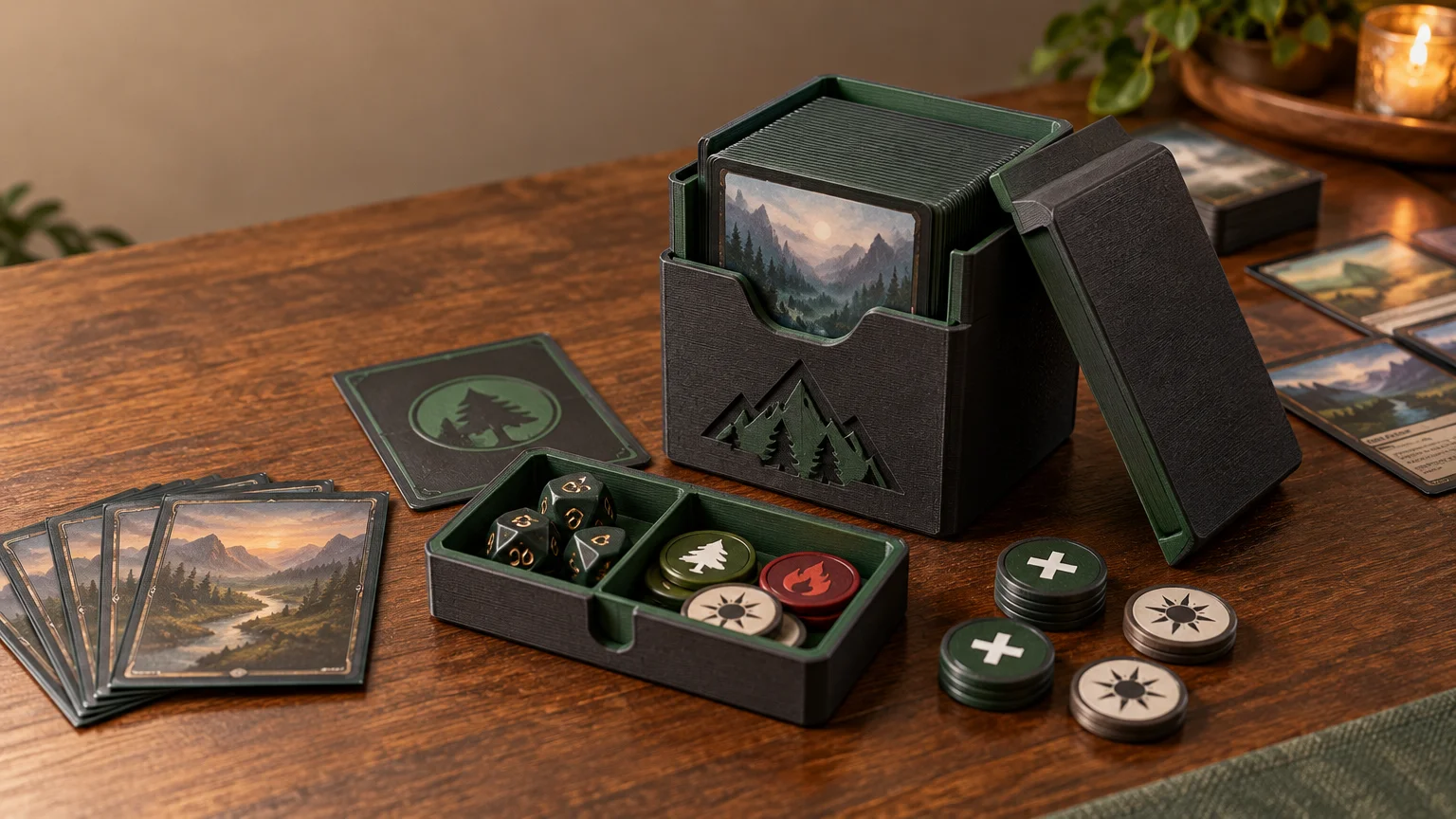
For a useful 3d print mtg project, start with three things: a deck box fitted to your sleeved deck, a shallow tray for tokens and dice, and a small set of visually distinct counter markers. These solve transport, setup, and tracking problems without occupying half the table. Print one prototype, use it for several games, and only then add specialized holders or decorative pieces.
The best 3D-printed MTG accessory is not necessarily the cleverest model. It is the one that helps you unpack faster, represent the board clearly, and leave with every die and token you brought. Commander especially rewards this practical approach because one deck can generate tokens, accumulate several kinds of counters, track commander tax, and create a crowded multiplayer battlefield.
Why Commander needs a small accessory system
Commander uses a 100-card deck consisting of a commander and 99 other cards, and it is generally singleton apart from basic lands. The format also makes commander tax and commander damage relevant during play. That combination creates more organizational pressure than a nominal card count suggests. You are transporting a large sleeved deck while also tracking game information that may sit outside it. Wizards’ Commander format overview explains the format basics.
Treat the accessories as a system rather than a collection of unrelated prints. The deck box protects and transports the cards. Token cards represent permanents. Dice or markers track changing quantities. A tray gives loose components a home. If one object tries to do every job, it usually becomes bulky or makes the battlefield harder to read.
Community model libraries show deck boxes, card cases, modular storage, and boxes with integrated token trays among the available MTG designs. That variety is useful, but it is not a tested ranking of particular files. Use it to identify model categories, then verify dimensions and fit for your own setup. Browse community MTG deck models on Printables.
Which 3D-printed MTG accessories are worth making first?
| Accessory | Problem it solves | Best for | When to skip it | Functional priority |
|---|---|---|---|---|
| Commander deck box | Protects and transports a sleeved 100-card deck | Every regularly played deck | When an existing box already fits securely | Real sleeve fit, finger access, dependable closure |
| Token and dice tray | Contains loose components during play | Token, counter, and copy-heavy decks | Decks that use only a few dice | Shallow compartments and a low profile |
| Counter set | Separates different tracked values | Decks using +1/+1, loyalty, charge, or similar counters | When ordinary dice remain perfectly clear | High contrast and unmistakable symbols |
| Library or graveyard holder | Keeps tall or slippery piles aligned | Cramped surfaces or unstable sleeve stacks | Small tables where the holder consumes needed space | Easy card removal without lifting the entire stack |
| Command-zone marker | Makes the commander and tax visible | Players who regularly forget tax changes | When the command zone is already obvious | Small footprint and simple adjustment |
| Sorting tray or dividers | Organizes revisions, Cube sections, or land packages | Cube owners and frequent deck tuners | Finished decks that rarely change | Modularity and readable labels |
1. A deck box designed around the actual sleeved stack
A model advertised for 100 cards has not automatically been shown to fit your deck. Sleeve thickness varies, double-sleeving adds bulk, and some players store tokens or a life counter in the same box. Thick treatments or unusually rigid cards can change the stack as well. Measure the deck you will actually carry rather than trusting the nominal card capacity.
The interior also needs usable access. A box can have enough volume while still pinching the sleeves or making the final cards difficult to remove. Look for a finger cutout, smooth contact surfaces, and enough room to lift the stack without scraping its edges. If the design includes a token compartment, confirm that it does not press components into the sleeved cards when closed.
Favor a simple lid or closure that you can inspect easily. A complicated hinge, tiny latch, or multi-part mechanism creates more potential failure points. No supplied test record establishes the durability of a particular file, so prototype the closure and perform your own loaded transport check before trusting it in a backpack.
2. A low-profile token and dice tray
The tray should organize the table, not become the table. Shallow compartments are usually more useful than a tall tower because every player needs to see cards across the battlefield. Give frequently used dice and markers open access, while keeping spare pieces in a separate compartment or in the deck box.
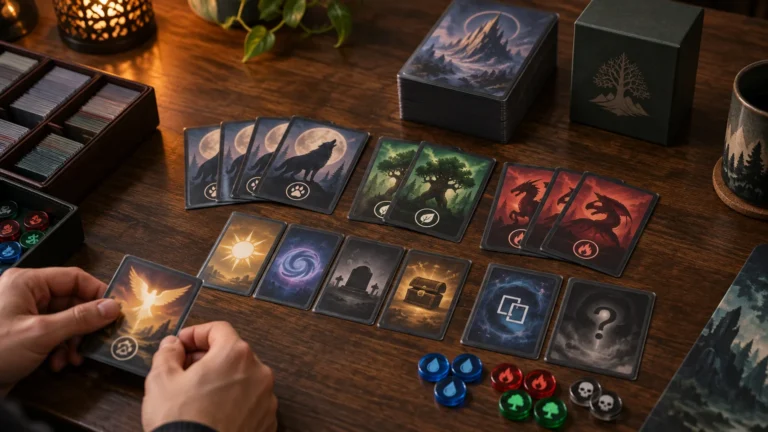
For a token-heavy deck, I would divide the kit into three groups: card-sized tokens for permanents, ordinary dice for changing quantities, and distinctive markers for named counter types or reminders. A compartment for each group makes cleanup obvious. It also exposes missing pieces before everyone packs up.
If you are still building the token package, plan the recurring tokens, copy markers, counters, and backups together. The tray should follow that inventory. Printing a beautiful organizer first and then discovering that it cannot hold the deck’s most common tokens is exactly backward.
3. A counter system that can be read at a glance
Tokens and counters perform different rules jobs. A token can represent a permanent, while a counter is a marker placed on a player or object. The Comprehensive Rules also recognize dice and other specialized game components as ways games may track information. Consult the official Magic Comprehensive Rules for the formal distinctions.
That distinction should shape the print. Use readable, card-sized representations for creature or artifact tokens because opponents need to understand the permanent’s identity, state, and combat role. Use smaller markers for +1/+1 counters, loyalty, charge counters, or commander tax. Avoid using the same style of die for several unrelated values on the same card unless everyone can tell which is which.
High contrast matters more than ornamental detail. Raised symbols, clearly different silhouettes, or strongly separated colors can help distinguish marker types. Do not assume color alone will carry the entire system; table lighting, visual accessibility, and similar filament colors can all make subtle differences disappear.
A worked kit for a counters-heavy Commander deck
Imagine a deck that regularly creates creature tokens, adds +1/+1 counters, and makes temporary copies. Its practical kit might include a fitted deck box, a small packet of card-sized recurring tokens, several generic copy markers, two visually different groups of counters, and a shallow tray with a spare-dice section.
Keep the tokens separate from the main library so setup does not require searching through the deck. Put only frequently used pieces in the play tray. Less common tokens can remain in the box until needed. For revisions, add two dividers labeled for cards entering and leaving the list; this prevents a tuning session from turning into an untraceable pile.
If the physical deck itself is being assembled as a larger proxy project, complete proxy deck orders can keep the card-production step separate from the accessory prototype. Confirm the finished sleeved stack before committing to the final deck-box dimensions.
This kit is less dramatic than a sculpted command tower, but it solves the repetitive problems: finding the correct token, distinguishing counters, and packing the deck without loose dice rolling around the bag. Those are the improvements you notice every game.
Print-and-fit checklist
- Measure the complete sleeved deck, not an unsleeved sample or a stated card capacity.
- Decide whether tokens, dividers, a life counter, or extra cards must fit inside the same box.
- Inspect card-contact surfaces for sharp corners, rough seams, or pressure points.
- Check that fingers can reach the cards without bending sleeves or turning the box upside down.
- Prototype the lid, latch, or hinge before printing several copies.
- Load the box and test its retention inside the bag you normally take to games.
- Keep battlefield accessories low enough that opponents can see across them.
- Give token cards, counters, and reminder markers visibly different forms.
- Make tray compartments large enough for easy pickup rather than an exact cosmetic fit.
- Label modular parts consistently so pieces from different decks can be returned quickly.
- Play several sessions with one kit before duplicating it for the rest of your decks.
Library holders and command-zone displays are optional
A library holder can help when glossy sleeves slide or a large deck sits on an uneven surface. It can also waste space and make drawing awkward. Choose an open design that lets you remove a card naturally, and skip it if the holder forces you to lift or pinch the library on every draw.
The same restraint applies to command-zone accessories. A small tax tracker beside the commander is useful. A tall display that hides cards behind it is not. Multiplayer boards already demand a lot of visual scanning, so accessories should keep important information visible from several seats.
Useful 3D prints for Cube and deck tuning
Cube owners often get more value from sorting tools than battlefield accessories. Modular trays can separate colors, multicolor cards, lands, tokens, and cards awaiting review. Dividers can preserve a land package or mark draft modules. A small staging tray can also separate proposed additions from confirmed cuts during an update.
Size the system around change. A tightly fitted organizer may look polished on day one but become irritating after the first expansion or sleeve change. Modular rows and movable dividers tolerate revisions better. For broader consistency questions, especially when a Cube includes proxies, review sleeves, visual consistency, and draft readability before finalizing the organizer.
What not to print first
- Tall miniatures that compete with the cards for sightlines.
- Oversized commander displays that consume another player’s battlefield space.
- Intricate mechanical counters when two clear markers would communicate the same information.
- Boxes with several moving parts before a simple fit prototype has been tested.
- Token substitutes that look attractive but do not identify the represented permanent clearly.
- Rigid all-in-one organizers that cannot adapt when the deck or Cube changes.
- Decorative pieces that require explanation every time they enter the battlefield.
There is nothing wrong with novelty prints once the functional kit works. Just do not confuse decoration with organization. If an accessory makes combat math slower, conceals tapped status, or forces opponents to ask what it represents, it is adding table friction rather than removing it.
Casual accessories and event requirements
Clear markers and organizers are straightforward in casual play when the table understands what they represent. Event requirements deserve a separate check. Wizards’ 2016 proxy-policy statement said cards in DCI-sanctioned events had to be authentic Magic cards except for replacement proxies issued by a judge during that event, while separately discussing personal, non-commercial playtest cards outside sanctioned events.
That statement should not be treated as a guarantee that every 3D-printed marker, substitute, or accessory is accepted everywhere. If you are attending a sanctioned event, ask its organizer or head judge about anything that might be mistaken for a card, obscure public information, or affect physical handling. Ordinary deck organization and permission to use a game-piece substitute are different questions.
The practical recommendation
Start with one standardized kit for your most-played Commander deck: a fitted box, a flat component tray, readable token cards, and distinct counter markers. Use it for several sessions. Notice what stays in the box, what gets scattered, and what opponents repeatedly ask about.
Then revise the system instead of immediately printing duplicates. Add a library holder only if the stack genuinely causes trouble. Add sorting trays if deck revisions keep becoming messy. Once the prototype reliably reduces setup time and tracking ambiguity, reproduce those useful parts for other decks. The goal is not to fill the table with printed plastic. It is to get the deck played, understood, and packed away with less friction.